iOS 27: Key Upgrades Enhancing Your Apple Experience
Explore the key upgrades in speed, child protection, Siri AI, Photos, and accessibility with iOS 27.

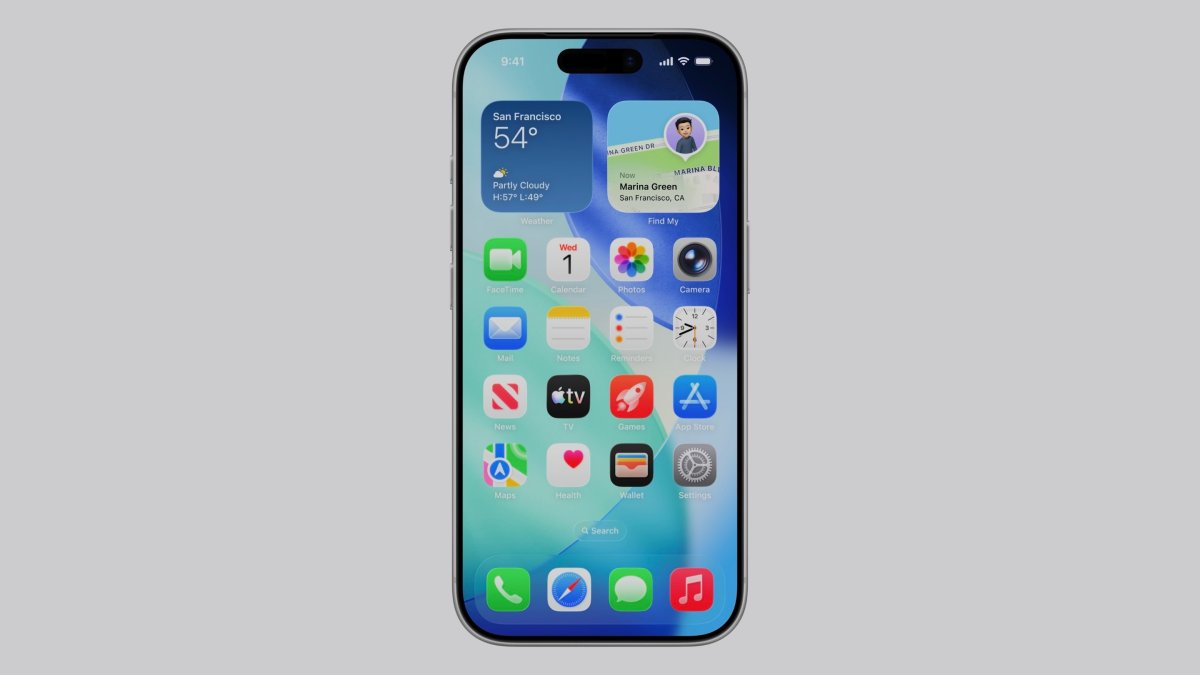
New Features in Photos
One of the standout features in iOS 27 is the "Spatial Reframing" capability within the Photos app. This feature is designed to let users adjust the perspective of their photographs, offering a new dimension to digital photography by creating a 3D effect. This isn't merely a flashy add-on; it represents Apple's commitment to enhancing creativity and simplifying photo management for its users. By enabling users to tweak their images directly on their devices without needing additional software, Apple is once again placing powerful tools directly into the hands of its users.
The "Spatial Reframing" feature could be particularly appealing to content creators and photography enthusiasts who are always on the lookout for innovative ways to make their photos stand out. Imagine you're at a scenic location, capturing the essence of the place with your iPhone. With Spatial Reframing, you can adjust angles and perspectives right after taking the shot, allowing you to perfect your images without the need for a desktop application.
Furthermore, iOS 27 introduces a new Clean-Up tool that leverages Apple's advanced AI capabilities to deliver more refined editing results. This tool is aimed at speeding up the editing process, a crucial enhancement for mobile photographers who often need to edit on the go. The Clean-Up tool's integration means you can quickly remove unwanted elements from your photos, improve lighting, or enhance colors, all within the native Photos app.
Compared to: iOS 26 Photos Features
To understand the significance of these updates, let's compare them to the features available in iOS 26. The previous version offered basic editing tools such as cropping, filters, and adjustments for brightness and contrast. While these features were robust, they lacked the depth and creativity offered by the new Spatial Reframing and advanced Clean-Up tools in iOS 27.
In terms of pricing and specifications, the software updates are free for all compatible Apple devices, maintaining Apple's tradition of providing substantial upgrades without additional cost. This approach contrasts with some competitors who might charge for similar advanced features or require third-party applications.
Accessibility Adjustments
Accessibility continues to be a pivotal focus in the tech industry, and iOS 27 is no exception. While Apple has yet to disclose all the specifics, the emphasis on accessibility in this update suggests a concerted effort to create a more inclusive technology environment. Historically, Apple has been a leader in this space, offering features such as VoiceOver, Magnifier, and AssistiveTouch. These tools have been critical for users with disabilities, allowing them to interact with their devices more effectively.
The anticipation surrounding the new accessibility features in iOS 27 indicates potential enhancements that could further empower users. For instance, improvements might include more customizable voice commands, enhanced screen reading capabilities, or new ways to interact with the device for users with motor impairments.
Real Daily-Use Scenario
Consider a daily-use scenario where these features come into play. You're a busy professional who relies on your iPhone for both work and personal tasks. During a lunch break, you take a quick photo of a new project layout. With the Spatial Reframing feature, you can immediately adjust the perspective to highlight specific elements before sending it to your team. Meanwhile, the Clean-Up tool allows you to quickly edit out any distracting background elements, ensuring your image is clear and focused.
If you have accessibility needs, perhaps due to low vision, the anticipated enhancements in iOS 27 could mean better screen readers or larger text options, making it easier for you to view and share your work. This seamless integration of features helps maintain productivity without the need for additional tools or software, exemplifying Apple's goal of creating an all-in-one solution.
Why This Matters
The upgrades in iOS 27 highlight Apple's ongoing dedication to improving user experience, enhancing safety, and prioritizing accessibility. The introduction of new photo editing capabilities and anticipated accessibility improvements reflect a broader trend towards more user-centric technology solutions. This is critical for Apple as they aim to remain competitive in the mobile market, where user expectations and technological advancements continue to evolve rapidly.
The emphasis on creativity and accessibility is particularly noteworthy in a time when consumer expectations are high. Users want devices that not only function seamlessly but also offer tools that enhance their daily lives. The improvements in iOS 27 cater to these desires, offering more than just incremental updates.
What's Still Unclear
Despite the exciting announcements, there are still aspects of iOS 27 that remain unclear. Details on the full range of accessibility features are yet to be unveiled, leaving room for speculation about how transformative these updates might be. Additionally, while the new photo features sound promising, their real-world performance will ultimately determine their success. Users will be keen to see if these tools live up to the hype and whether they integrate smoothly with existing workflows.
Furthermore, any potential impacts on battery life or device performance resulting from these new features have not been fully disclosed. With every software update, there is always a concern about how increased functionality might affect overall device efficiency.
Closing Take
For anyone who's shipped hardware or developed software, the challenge of balancing innovation with user needs is well understood. Apple's approach with iOS 27 seems to strike a promising balance by introducing novel features that enhance user creativity and accessibility while maintaining the core functionalities users have come to rely on. As more details emerge and users begin to interact with these updates, the true impact of iOS 27 will become clearer.
In the European market, where privacy and accessibility are critical concerns, Apple's continued focus on these areas will likely be well received. Whether you're a tech enthusiast eager to explore new creative tools or someone seeking a more accessible device, iOS 27 offers something of value. The key will be in how effectively these features integrate into everyday use and whether they truly meet the diverse needs of Apple's global user base.
Sources cross-referenced
This story was synthesised from reporting by 4 outlets:
Cases, chargers and AirPods alternatives the editors actually use.
Shop mobile gear →Discuss this story
Got a take, a correction, or a follow-up tip? Reply where you read — we read everything.
Found an error? File a correction at /corrections. Substantive corrections are logged publicly.
One short email. The most important Mobile news, fact-checked, no fluff. Free, unsubscribe anytime.
More from Mobile
Asus ROG Phone 9 vs Sony Xperia 1 VII: Which Niche Flagship Earns Your Money?
Deciding between the gaming-focused ROG Phone 9 and the creator-centric Xperia 1 VII? This guide breaks down every spec to help you choose.
Honor Magic 8 Pro vs Samsung Galaxy S26 Ultra: Which Future Flagship Fits Your Wallet and Workflow?
Deciding between the anticipated Honor Magic 8 Pro and Samsung Galaxy S26 Ultra? Our deep dive into expected specs and features provides the fair comparison you need.
Xiaomi 16 Pro vs iPhone 18 Pro: Which Flagship Fits Your World?
Deciding between the Xiaomi 16 Pro and iPhone 18 Pro? We break down every spec and trade-off, so you can make the choice that's right for you.
Motorola Edge 60 Ultra vs OnePlus 13: Which Android Flagship Fits Your Priorities?
Motorola Edge 60 Ultra and OnePlus 13 both aim for top-tier Android. We cut through the marketing to reveal the true differences, helping you choose.
The Byte-Pulse Newsroom is the editorial system that produces Byte-Pulse's daily tech news coverage. Each story is cross-referenced across 3+ independent outlets, drafted with AI assistance by the newsroom system (Drafter → Editor → Fact-Checker → Polisher), and reviewed by Serhat Er, Editor-in-Chief, before publication. We disclose AI augmentation openly. Editorial accountability stays with the named editor on every article. Tips: editorial@byte-pulse.net.
Don’t miss these
AMD Ryzen 7 9800X3D vs Intel Core Ultra 7 265K: Which Chip Drives Your Next Build?
Deciding between AMD's V-Cache prowess and Intel's new Ultra architecture? This guide cuts through the noise to show you what each CPU truly offers for your money.
Proton VPN vs NordVPN: Which One Earns Your Subscription?
A deep dive into Proton VPN and NordVPN, comparing their privacy, performance, features, and value, helping you make an informed decision.
Perplexity Pro vs ChatGPT Plus: Which AI Assistant Fits Your Workflow?
This guide lays out the strengths and approaches of Perplexity Pro and ChatGPT Plus, helping you identify which AI assistant aligns with your specific needs.

Pokémon TCG Movie Signals Strategic Media Pivot for The Pokémon Company
A new Pokémon movie focused on the TCG is coming in 2027, marking a strategic pivot for the franchise as it navigates massive global fan engagement and logistical challenges.
AMD Ryzen 9 9950X3D vs Intel Core Ultra 9 285K: Next-Gen Desktop Showdown
A deep dive into the expected strengths of AMD's Zen 5 X3D and Intel's next-gen Core Ultra K-series, laying out the trade-offs for serious buyers.
Notion vs Obsidian: Which Knowledge Hub Fits Your Workflow?
Deciding between Notion and Obsidian? We break down the core differences in philosophy, data ownership, collaboration, and extensibility to help you choose.